
Structured authoring in Microsoft Word
Structured authoring in Microsoft Word for regulated industries: what it requires, the two architectural approaches, and how to choose between them.

Most subject matter experts in regulated organizations (medical writers, regulatory specialists, compliance officers, engineers) author in Microsoft Word. This is not a stylistic preference. It is a function of training, ecosystem, and the practical fact that Word is the most heavily used authoring tool in the regulated world. Asking these experts to switch to an XML editor for the sake of a structured-content program is the implementation pattern that has failed for twenty years.
The category response to this problem is structured authoring in Microsoft Word, a class of approaches that lets authors type in Word while the structured-content semantics are applied behind the scenes. There are two architectural ways to do it, and they have very different implications for procurement, IT, and the long-term shape of the content program. This guide explains what the category actually requires, walks through both architectures honestly, and shows where the difference matters for regulated-industries buyers in 2026.
Why subject matter experts won’t leave Microsoft Word (and shouldn’t)
The structured-content industry has spent twenty years asking authors to learn XML editors. The result is well-documented and consistent. Technical writers adapt; subject matter experts do not. Medical writers, regulatory affairs specialists, compliance officers, and engineers (the people who actually hold the regulated-industries domain knowledge) continue to send Word files to whatever structured-content team has been assigned to convert them. The structured-content team becomes a parsing layer between the experts and the system. The experts never use the system directly. The system gets the structure; the experts get more email.
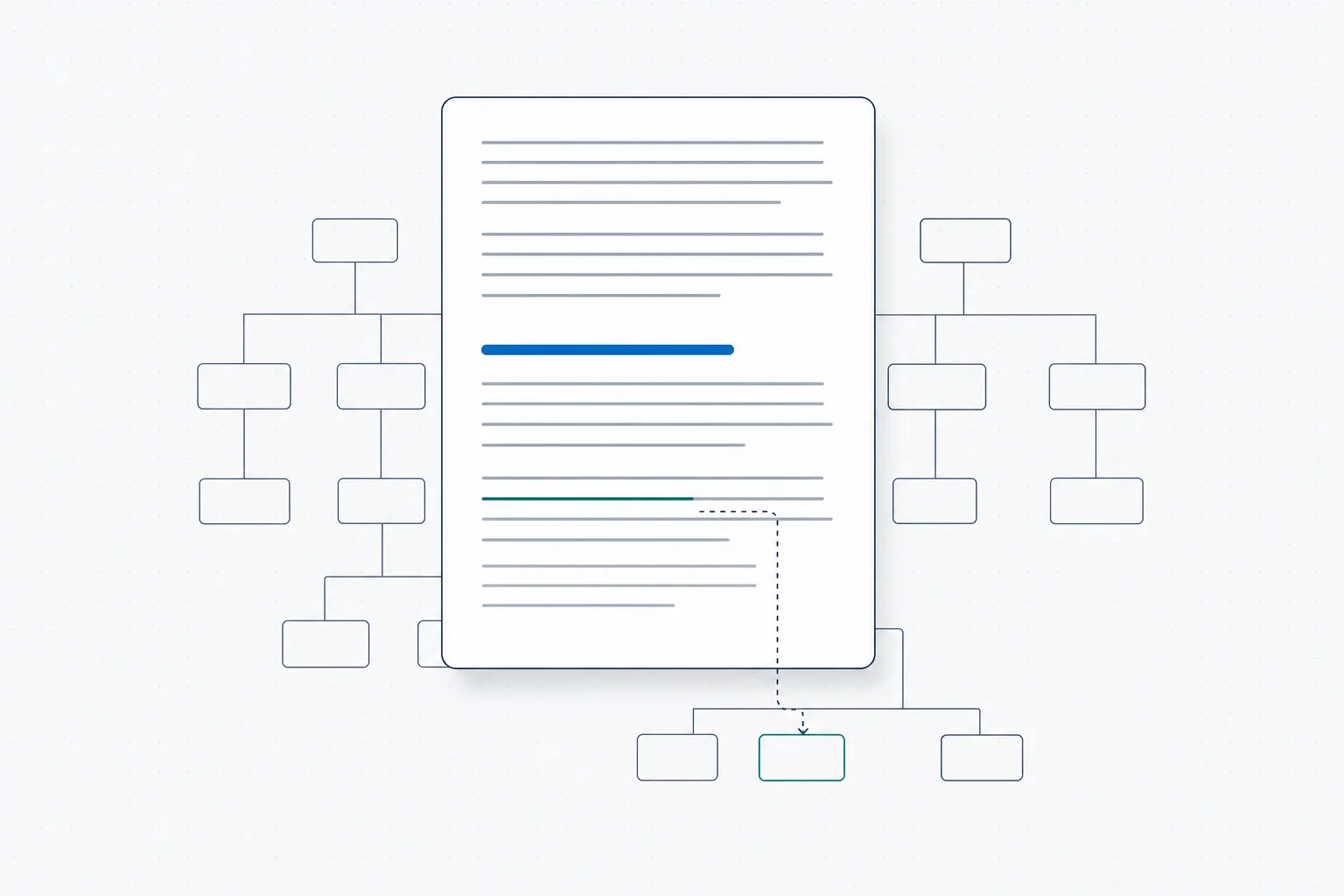
What structured authoring in Word actually means at the architecture level: the authoring surface stays as it is, and the DITA structure is applied behind it. The author never sees the schema.
This failure mode is structural, not behavioral. The subject matter experts are doing what is rational. The tools they already know (Word, Track Changes, comments, the Word review workflow) are the tools the rest of their work happens in. The CCMS asking them to learn XMetaL or oXygen is asking them to maintain a parallel skill set for one workflow, indefinitely. Most decline.
A working structured authoring approach has to start from the question: how does the expert keep using Word, and the system gets the structure anyway? Every reasonable answer in 2026 says some variant of: the author types in Word, a structured layer applies the schema behind the scenes, and the system stores the resulting content as valid DITA without exposing XML to the author.
What structured authoring in Microsoft Word actually requires
Three components are needed for structured authoring in Word to work in regulated practice.
A schema applied behind the scenes
The author types in Word: heading, paragraph, list, table, link. The structured layer maps Word constructs to DITA topic types (concept, task, reference) and to inline elements like steps, prerequisites, cautions, and parameters. The mapping is automatic and rule-based, not manual. The author does not select “this is a task topic”; the structure of what they type is interpreted, validated against the schema, and stored as DITA. When the structure is ambiguous or invalid, the system surfaces a structural prompt, not an XML error.
Reuse mechanisms that don’t break Word
The author needs to insert a component (a standardized safety warning, an approved indication, a regulatory disclosure paragraph) into the document they are writing. The reuse mechanism cannot break Word’s editing model: comments, Track Changes, find-and-replace, table formatting, and copy-paste have to keep working. The component is referenced by identifier and rendered inline; the author sees the text, edits the surrounding context, and the reference resolves correctly at publication time. The mechanism that achieves this is a Word add-in that exposes a component picker, an insertion point, and a live rendering of the referenced content, without leaving Word.
Audit trail and approval workflow
The author finishes a component. It is routed for review through the existing approval workflow, typically the SharePoint workflow already configured in the customer’s tenant for regulated documents. The reviewer’s action is logged. The approval is captured as metadata on the component. The date is timestamped. The audit trail is a property of the component from the moment of creation, not a folder of emails reconstructed later. The author never leaves Word to make this happen; the workflow runs underneath.
These three requirements describe the working version of structured authoring in Word. Any approach that misses one of them, typically the audit trail piece, occasionally the reuse mechanism, fails one of the structural problems the category was created to solve.
The two architectural approaches, separate platform vs platform layer
There are two ways to deliver structured authoring in Microsoft Word. They look similar from the author’s seat. They differ substantially everywhere else.
Approach A, Quark Publishing Platform with XML Author for Word
Quark Publishing Platform (QPP), the long-standing approach to Word-based structured authoring, is its own platform. The customer procures QPP, deploys it (cloud or on-premises), integrates it with identity, sets up the security and audit framework around it, and migrates content into it. Authors install the Quark XML Author for Word add-in. They write in Word, and the add-in handles the structured-content interaction with the QPP platform behind the scenes.
This is a complete and proven approach. Quark has been running it for years. The Word-authoring story is genuine; the underlying platform is mature. The cost is the platform itself: QPP is a separate procurement decision, a separate vendor relationship, a separate set of data residency and security questions, and a separate audit framework that has to be aligned with the customer’s existing one.
Approach B, A CCMS that runs on the M365 tenant
The alternative approach takes Microsoft 365 and SharePoint as the platform and adds a component management layer on top. Authors install a Word add-in that exposes the structured-content workflow. Components are stored as SharePoint document library items with structured metadata. Approval workflow uses SharePoint’s existing infrastructure. The audit trail is the SharePoint audit log. The identity integration is the customer’s existing Microsoft Entra ID. The data residency is the customer’s existing M365 tenant.
This approach treats the platform decision as already made. There is no separate procurement, no parallel infrastructure, no migration of governance frameworks. The CCMS adds the component model, the DITA structure, the reuse mechanisms, and the assembly pipeline; the SharePoint substrate handles everything below the structured-content layer. The Dx5 product follows this approach.
Why this is a procurement and IT decision, not a content decision
From the author’s seat, both approaches produce a similar experience: type in Word, components inserted via an add-in, structure applied behind the scenes, approval workflow runs, audit trail captured. The structured-content semantics (DITA topic types, content references, valid schema, publishing pipeline) are functionally comparable.
The difference shows up elsewhere. In the procurement process, where a separate platform requires a security review, a data residency assessment, an identity integration project, and a contractual commitment with a new vendor for content that is often the source of truth for regulatory submissions. In the IT footprint, where a separate platform means a parallel infrastructure to operate and audit. In the data residency answer, where a separate cloud vendor adds a class of audit questions that a tenant-hosted approach does not raise. In the AI-readiness path, where content inside the M365 tenant is most cleanly accessed by the AI tools licensed inside the same tenant.
The choice is not which structured-authoring approach is better in the abstract. It is which fits the platform decision the organization has already made.
What this looks like in regulated industries
Three examples make the procurement difference concrete.
Pharma, drug labels and clinical documents
A pharmaceutical company has standardized on Microsoft 365 for the past five years. The IT team has approved SharePoint for regulated content, the data residency is sorted with Microsoft’s compliance commitments, and the existing eCTD submission tooling has connectors into SharePoint. Authors (regulatory affairs writers, medical writers, labeling specialists) work in Word.
Approach A means procuring a separate platform, conducting a separate security review, building separate integrations into the existing eCTD tooling, and migrating content to a vendor cloud. Approach B means installing a Word add-in, configuring SharePoint document libraries with structured content types, and using the existing eCTD connectors against the same SharePoint storage. The structural difference shows up in the project timeline (months vs weeks), the procurement burden, and the long-term operational footprint.
Aerospace, maintenance procedures
A commercial aerospace prime contractor maintains thousands of maintenance procedures across multiple aircraft variants. The data residency requirements are strict (national defense accreditation, export control regimes), and the existing IT infrastructure is built around the contractor’s accredited M365 tenant.
Approach A requires the separate platform to be accredited under the same defense frameworks, an exercise that takes years for new vendors. Approach B uses the already-accredited M365 tenant. The contractor’s compliance team raises far fewer questions when the structured content lives where the rest of the contractor’s regulated content lives.
Financial services, compliance procedures
A financial services firm produces compliance documentation under MiFID II, SEC Reg BI, and a half-dozen regional regulatory regimes. The content is reviewed by compliance teams that have approval workflows configured in SharePoint, integrated with the firm’s audit and DLP policies.
Approach A means parallel approval workflows in the separate platform, parallel DLP integration, and a parallel audit story. Approach B reuses the SharePoint workflows the compliance team has already configured and the DLP policies the firm has already implemented. The risk story is materially shorter under Approach B.
What to look for in a Word-based DITA authoring system in 2026
Five practical requirements for buyers evaluating Word-based structured authoring approaches in 2026.
First, the schema enforcement has to be behind the scenes. If the author sees XML, the implementation will fail in regulated production. Subject matter experts will not maintain the XML knowledge over time, and the parsing layer will quietly re-emerge.
Second, the reuse mechanism has to be schema-valid without manual cleanup. Inserted components have to render correctly, resolve at publish time, and not break Word’s editing model: Track Changes, comments, find-and-replace, table formatting. Implementations that require the author to format-clean inserted content have failed this requirement.
Third, the approval workflow has to integrate with the customer’s existing workflow infrastructure, not run as a parallel system. In SharePoint-standardized regulated enterprises, this means using the SharePoint approval primitives, not a separate workflow engine.
Fourth, the audit trail has to be captured at the component level, not at the document level. The FDA QMSR (effective 2 February 2026) and EU AI Act Article 50 (effective 2 August 2026) both push in this direction. Component-level approval is the practical answer to the traceability requirements both rules formalize.
Fifth, the platform of record needs to align with the rest of the organization’s regulated content. For Microsoft 365 enterprises, that means the content lives in the M365 tenant, the AI tools licensed in the same tenant can access it, and the existing security and DLP policies apply without separate configuration. For organizations on other platforms, the corresponding alignment applies.
The companion piece Your SharePoint Is Your CCMS covers the same argument from the platform side. The DxChecker product page covers the rule-validation layer that complements the authoring workflow.
External references
OASIS DITA Technical Committee · Microsoft Word add-in development documentation · FDA Quality Management System Regulation final rule · EU AI Act Article 50 · ISO 13485:2016
Frequently asked questions
What is structured authoring in Microsoft Word?
Structured authoring in Microsoft Word is the practice of writing structured content, DITA topics, reusable components, schema-valid content, while keeping Word as the authoring surface. The structure is applied behind the scenes by a Word add-in or a structured-content layer; the author types in Word and never sees XML. The result is content that is valid DITA, reusable across documents, and audit-traceable, without requiring subject matter experts to learn an XML editor.
Why do most CCMS implementations fail without Word-based authoring?
Subject matter experts in regulated industries (medical writers, regulatory affairs specialists, compliance officers, engineers) author in Microsoft Word. Asking them to switch to an XML editor for one workflow has failed reliably across two decades of CCMS implementations. The experts continue to send Word files to a structured-content team that becomes a parsing layer between the experts and the system. The experts never use the CCMS directly, the structure they intended is lost in translation, and the implementation never reaches the production scale it was sized for.
Can DITA be authored in Microsoft Word?
Yes, through a Word add-in that maps Word constructs to DITA topic types behind the scenes. The author types in Word; the add-in handles the DITA-specific interactions: topic typing, content references, schema validation. The content is stored as valid DITA. The DITA Open Toolkit publishing pipeline runs against it for downstream output. Both Quark XML Author and DxAuthor+ (the DitaExchange Word add-in) implement this pattern; they differ in the platform layer underneath the add-in.
What is the difference between Quark XML Author and DxAuthor+?
Both let authors write DITA-structured content in Microsoft Word. The difference is the platform underneath. Quark XML Author connects to Quark Publishing Platform, a separate, vendor-operated platform that the customer procures and integrates. DxAuthor+ connects to a component management layer (Dx5) that runs on the customer's existing Microsoft 365 and SharePoint tenant. The structured-content semantics are comparable; the procurement, IT, and data residency implications are not.
Does structured authoring in Word work for FDA QMSR compliance?
Yes, provided the implementation captures the audit trail at the component level. The FDA QMSR, effective 2 February 2026, tightened traceability requirements across regulated documentation. A Word-based structured authoring approach satisfies the requirement when each component has its approval status, approver identity, approval date, and applicable regulatory driver captured as metadata at the moment of approval, not reconstructed later from emails and shared drives. The implementation specifics matter; the architecture is sound.