
Your SharePoint is your CCMS
A CCMS for SharePoint and Microsoft 365: no migration, no parallel platform, no separate procurement. The structural case for keeping SharePoint.

The standard advice from the structured-content industry for the last fifteen years has been: if you’re serious about structured content, move off SharePoint. The advice is wrong now, in a specific way that matters. It assumes the only thing between you and a working component content management system is the platform, and that the right answer is to replace the platform. The CCMS SharePoint conversation has been framed as either-or for too long, and it does not have to be.
What it misses is that the platform is the part most regulated organizations have already settled. Microsoft 365 and SharePoint are approved by IT, security has signed off, data residency is sorted, the audit framework is in place, and the subject matter experts already author in Word. The platform decision is done; the structured-content problem is still open. What changed in 2026 is that the structured-content problem can now be solved without re-opening the platform decision.
This piece makes that argument directly. It addresses the standard reasons given for moving off SharePoint to a separate CCMS, and shows where each reason holds, where each reason has aged out, and what the right answer looks like for buyers who want structured content without a parallel infrastructure project.
The CCMS SharePoint argument, what the case against says, and what it misses
The case for moving off SharePoint to a separate CCMS rests on three structural claims. Each is true at face value. Each is incomplete.
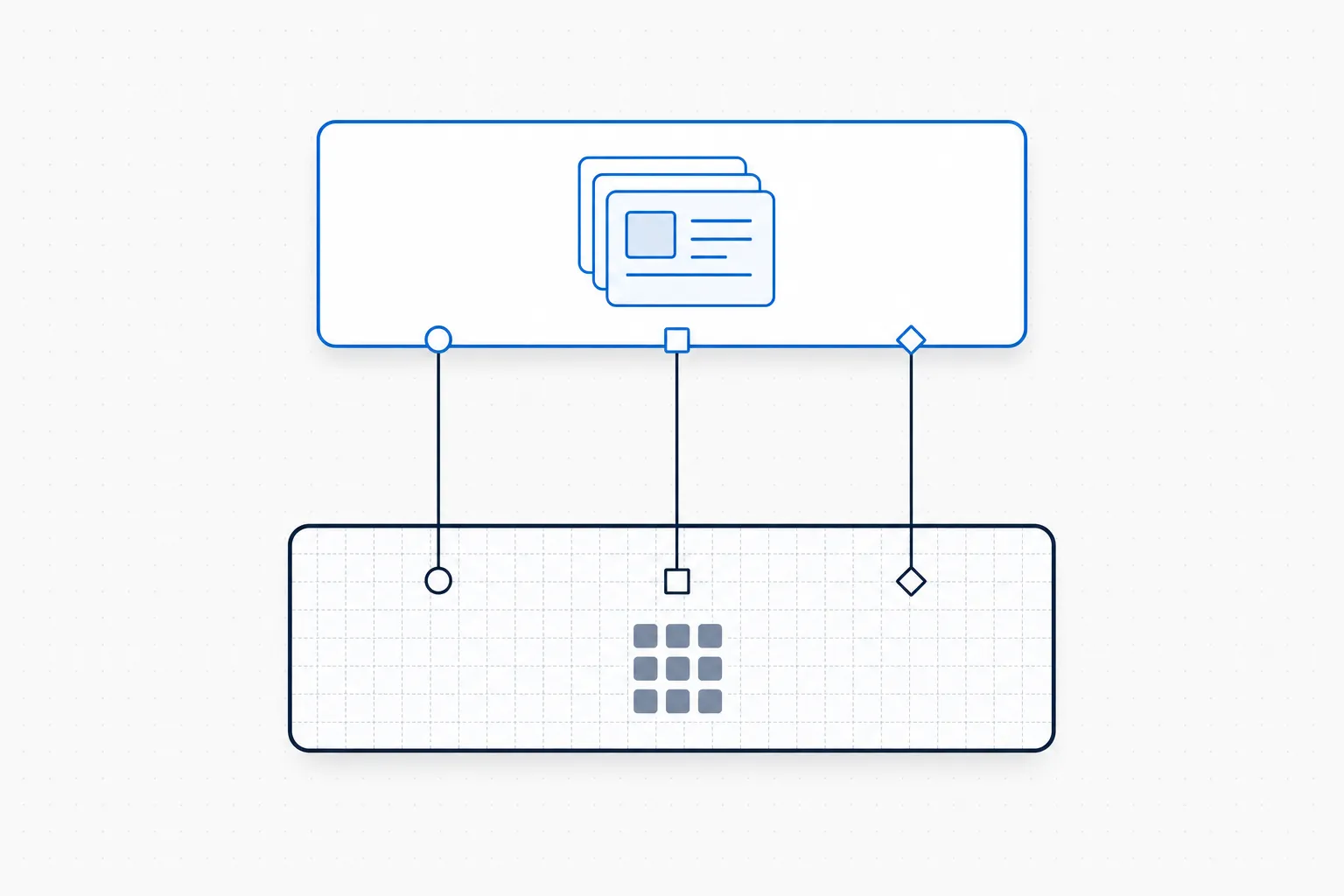
The architecture argument: a CCMS layered on the SharePoint estate the customer already runs. Identity, audit, and data-residency stay with the substrate; the CCMS adds the structure on top.
The first claim: SharePoint is document-centric. It manages files, not components, so reuse across documents requires copy-paste, drift is inevitable, and structured content is not possible. This is correct about SharePoint’s native capabilities. It does not consider what happens when a component management layer sits on top of SharePoint and treats SharePoint document libraries as the storage substrate for components rather than for documents.
The second claim: SharePoint lacks DITA or XML structure. There is no built-in topic-type model, no map-based assembly, no specialization mechanism, no DITA Open Toolkit pipeline. This is also correct. It is also exactly what a CCMS adds. A CCMS that runs on the customer’s M365 tenant brings the DITA model with it. SharePoint provides storage, identity, security, and governance; the CCMS layer provides the structured-content semantics.
The third claim: SharePoint cannot meet regulated-industries audit and traceability requirements out of the box. This is the most consequential claim and the one most worth examining. SharePoint provides version control, approval workflow, audit logging, retention policy, and data classification, all the primitives that a regulated content audit relies on. It does not, by itself, expose them at the component level. A CCMS layer on top of SharePoint does, by mapping component-level actions to the underlying SharePoint primitives the IT and compliance teams already trust.
What the argument against SharePoint actually says, accurately, is: SharePoint alone is not a CCMS. What it then concludes, incorrectly, is that the answer is to move off SharePoint. The actual answer is to add the component layer where the platform already is.
What SharePoint actually does (and doesn’t do) for structured content
SharePoint, considered honestly, is a strong substrate for component content management and a poor authoring environment for structured content out of the box.
The substrate side is well-handled. Document libraries store files. Term sets and managed metadata provide taxonomy. Content types provide schema. Workflows handle approval and routing. The audit log captures every action. Permissions are governed at the library, folder, and item level. Retention is policy-driven. Microsoft 365 is approved by IT and integrated with the identity provider. None of this is small; replicating it in a separate platform is an eighteen-month project for any regulated enterprise.
The authoring side is where SharePoint falls short. There is no native topic-type model. No native DITA support. No native component reuse beyond document linking. Word documents stored in SharePoint are still Word documents, not components. The reuse model is copy-paste, and copy-paste does not satisfy the structural problem the structured-content industry has been trying to solve for two decades.
The architectural question is not “SharePoint or a CCMS”. It is “what sits between the SharePoint substrate and the Word-authoring workflow that the subject matter experts will not leave”. That is the question a CCMS layer answers.
The case for keeping SharePoint, three forces that have shifted in 2026
Three external forces have made the argument for keeping SharePoint materially stronger in 2026 than it was even two years ago.
Microsoft 365 consolidation is the new procurement reality
Microsoft 365 has more than four hundred million paid commercial seats. Most large regulated enterprises are standardized on it. New procurement decisions increasingly require justification for any system that sits outside the M365 tenant: security review, data residency assessment, identity integration, total cost of ownership against the marginal cost of using the platform that’s already licensed. A separate CCMS triggers all of this. A CCMS that runs inside the M365 tenant does not. The procurement floor is moving against parallel platforms, not against SharePoint.
Data residency and the regulated-industries audit reality
Regulated-industries buyers (pharmaceutical companies, defense prime contractors, financial institutions) have data residency requirements that cloud-only CCMS vendors meet through regional cloud regions and contractual commitments. Both are negotiable, both add procurement friction, and both expose the customer’s content to a separate vendor’s infrastructure. When the content is the source of truth for an FDA submission, an EASA airworthiness certification, or a MiFID II disclosure, the buyer’s appetite for placing it on a vendor’s cloud rather than on their own M365 tenant has narrowed. The 2026 audit reality is that the customer-tenant-hosted approach removes a class of audit questions that the cloud-CCMS approach has to keep answering.
AI-readiness and the M365 tenant
Enterprise AI deployment, whether Microsoft Copilot, Anthropic Claude for Work, or the upcoming generation of agentic systems, runs on the M365 tenant for the regulated enterprises that have committed to Microsoft. The AI tools are licensed inside the tenant, governed by tenant-level data loss prevention policies, and audited inside the tenant. Content that needs to be retrieved by these AI tools, with provenance and audit trail, is most cleanly accessed when it lives inside the same tenant. Content that lives on a separate vendor’s cloud requires a connector, a separate trust boundary, and a separate audit path. The path of least friction for AI-readiness is content that already lives where the AI runs.
How a CCMS layer on SharePoint actually works
The component management layer that sits on top of SharePoint has four practical responsibilities. Each is a specific answer to one of the structural objections the anti-SharePoint argument raises.
Authoring stays in Word
Subject matter experts (medical writers, regulatory specialists, engineers, compliance officers) already author in Microsoft Word. Asking them to switch to oXygen XML Editor, XMetaL, or a browser-based structured editor is the implementation pattern that has failed in regulated industries for two decades. The CCMS layer treats Word as the authoring surface and applies the DITA structure behind the scenes. The author types into Word; the CCMS captures the topic type, the content reference, and the structural metadata without surfacing the XML.
Components live in SharePoint document libraries with structured metadata
A component (a topic, a reusable paragraph, a safety warning, an approved indication) is stored as a SharePoint document library item with content-type-bound metadata. The component carries its DITA topic type, its approval status, its version, its applicable products and regions, and its reference identifiers as managed metadata in the SharePoint sense. Other components can reference it. The SharePoint search index finds it. The retention policy applies to it. The audit log captures every action against it.
Approval workflow uses SharePoint’s existing infrastructure
The approval workflow that the IT and compliance teams have already configured for SharePoint runs against components, not just documents. A component is routed for review, the reviewer’s action is logged, the approval is captured as metadata on the component, the date is timestamped, and the audit trail is a property of the component from the moment of creation. The CCMS layer does not bring a separate workflow engine. It uses the one the organization already trusts.
The DITA structure is enforced behind the scenes
DITA topic types (concept, task, reference) are enforced through Word templates and structured-content rules. When the author finishes a topic, the CCMS validates the DITA structure, surfaces any structural issues for the author to resolve, and stores the resulting component in valid DITA form. The DITA Open Toolkit publishing pipeline runs against the components when documents are assembled. The author never sees XML. The downstream consumers (regulatory submission tools, customer-portal publishing, AI retrieval systems) see well-formed, schema-valid DITA.
What you don’t get (and what to do about it)
There are specific scenarios where the SharePoint-tenant approach is not the right answer, and being honest about them matters more than overselling.
For organizations not standardized on M365, the answer changes. A pharmaceutical company running Google Workspace, or a defense contractor on a separate accredited cloud, would need a different platform decision. The SharePoint-CCMS case rests on the M365 commitment already being made.
For organizations that need the broadest possible third-party tool integration (translation memory ecosystems, niche regulatory submission tools), a cloud-native CCMS may have a wider integration footprint than a tenant-hosted approach. The integration gap has narrowed substantially in 2026 with the Microsoft Graph API and connector ecosystem, but the gap is not zero.
For organizations that need a vendor to operate the platform end-to-end (small enterprises with limited internal IT capacity), the cloud-native approach removes operational burden that the tenant-hosted approach leaves with the customer. The trade-off here is operational responsibility for security and audit advantage.
In every other case, and “every other case” covers the majority of regulated-industries enterprises in 2026, the question is not whether to keep SharePoint. It is which component management layer to add on top of it. The Dx5 overview and the Built on SharePoint product page cover what the layer looks like in practice. The Authoring in Word product page covers the SME experience. The Life Sciences and Aerospace and Defense vertical pages show how the model applies in regulated workflows. The companion blog post Structured Authoring in Microsoft Word covers the SME workflow argument from the authoring side.
External references
Microsoft SharePoint Enterprise Content Management documentation · Microsoft 365 Compliance Center · OASIS DITA Technical Committee · FDA Quality Management System Regulation final rule · ISO 13485:2016
Frequently asked questions
Can SharePoint be used as a CCMS?
SharePoint alone is not a CCMS. It is the substrate, storage, identity, governance, audit primitives, on which a CCMS can run. A CCMS SharePoint architecture pairs the M365 platform with a component management layer that adds the DITA structure, topic-based authoring, component reuse, and assembly mechanisms a CCMS provides. The combination satisfies the structural requirements that SharePoint alone does not.
Why would I keep SharePoint instead of moving to a cloud-native CCMS?
The platform decision for Microsoft 365 has already been made by most regulated enterprises. The IT approval, the security review, the data residency assessment, the identity integration, and the audit framework are all in place for SharePoint. Adding a CCMS layer on top of that platform avoids a parallel infrastructure decision and keeps the content inside the tenant that the rest of the AI and collaboration stack already uses.
What about DITA, does SharePoint support DITA structure?
SharePoint does not natively support DITA. A CCMS layer on top of SharePoint brings the DITA topic-type model, content references, maps and the DITA Open Toolkit publishing pipeline. The author works in Word with DITA structure applied behind the scenes; the CCMS validates the DITA at storage time and produces valid DITA components for downstream consumption.
Is a SharePoint-based CCMS audit-ready for FDA QMSR and ISO 13485?
The audit primitives (version control, approval workflow, audit logging, retention policy, data classification) are SharePoint capabilities that are already used by regulated enterprises in audited environments. A CCMS layer that maps component-level actions to these primitives carries the audit-ready properties forward. The FDA QMSR requirements, effective 2 February 2026, are met when the approval trail is captured at the component level with the regulatory driver attached.
What about migration from an existing CCMS to a SharePoint-based one?
Migrations from an existing CCMS to a SharePoint-based CCMS are structurally simpler than the reverse direction, because the source content is already in DITA. The migration moves components between storage systems while preserving topic types, references, and metadata. The platform-level work (security review, identity integration, audit setup) is not needed because SharePoint is already operational. Most migrations of this shape complete in weeks rather than the months typical of moving from SharePoint to a separate CCMS.