
CCMS vs document management
CCMS and DMS sound alike until an audit asks which version of a paragraph was approved, and when. Here is the difference, drawn cleanly.
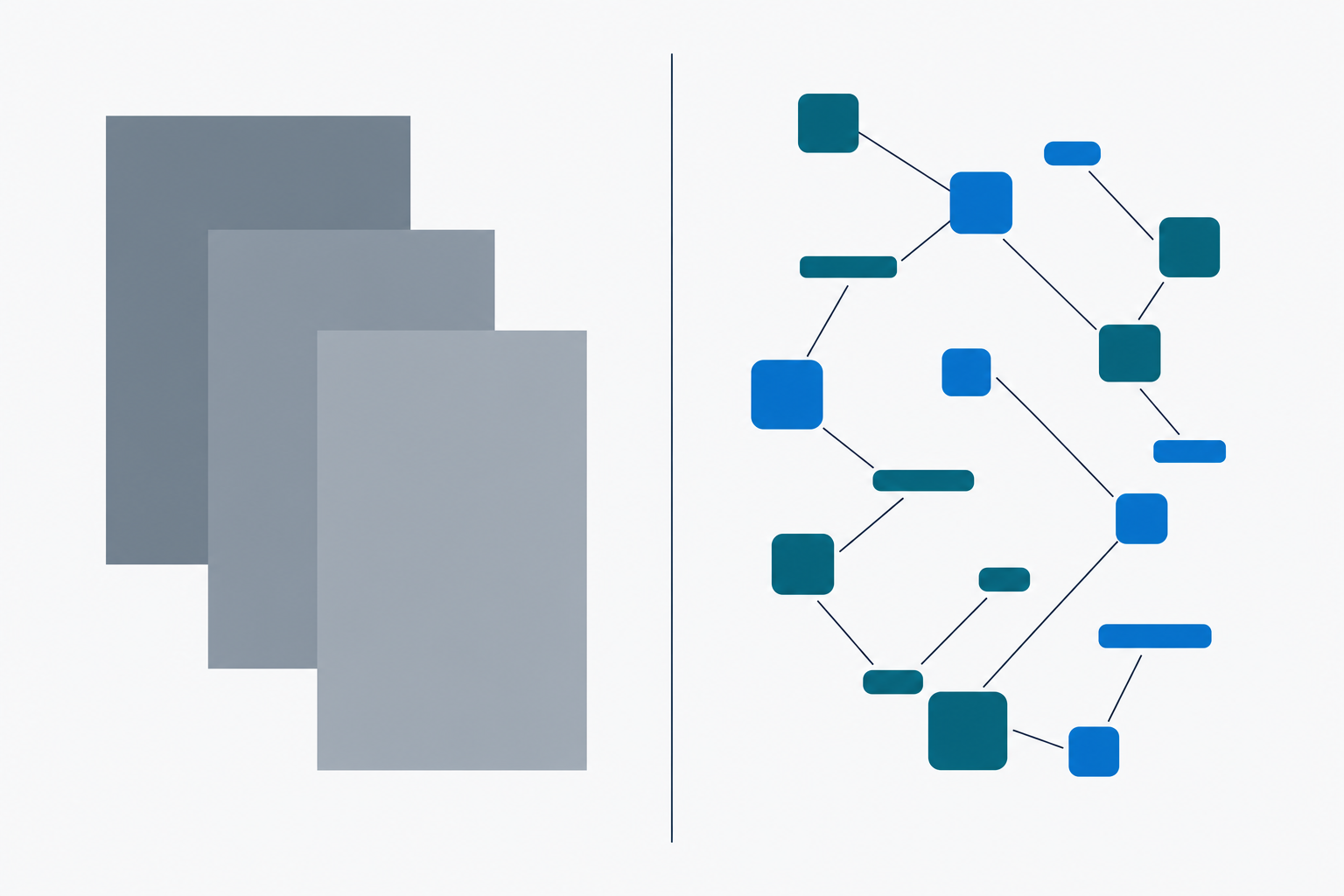
Document management systems and component content management systems get used interchangeably in conversation. They are not interchangeable in operation. The distinction is not a feature comparison; it is a different unit of management.
A document management system manages files. A component content management system manages fragments. Both have permissions, version history, workflow, metadata, and an audit trail. The difference is what those things attach to.
The categorical difference
Take one safety statement. “Do not operate this equipment while wearing loose clothing.” That statement appears in the user manual, the operator handbook, the training pack, the regulatory submission, and the maintenance guide.
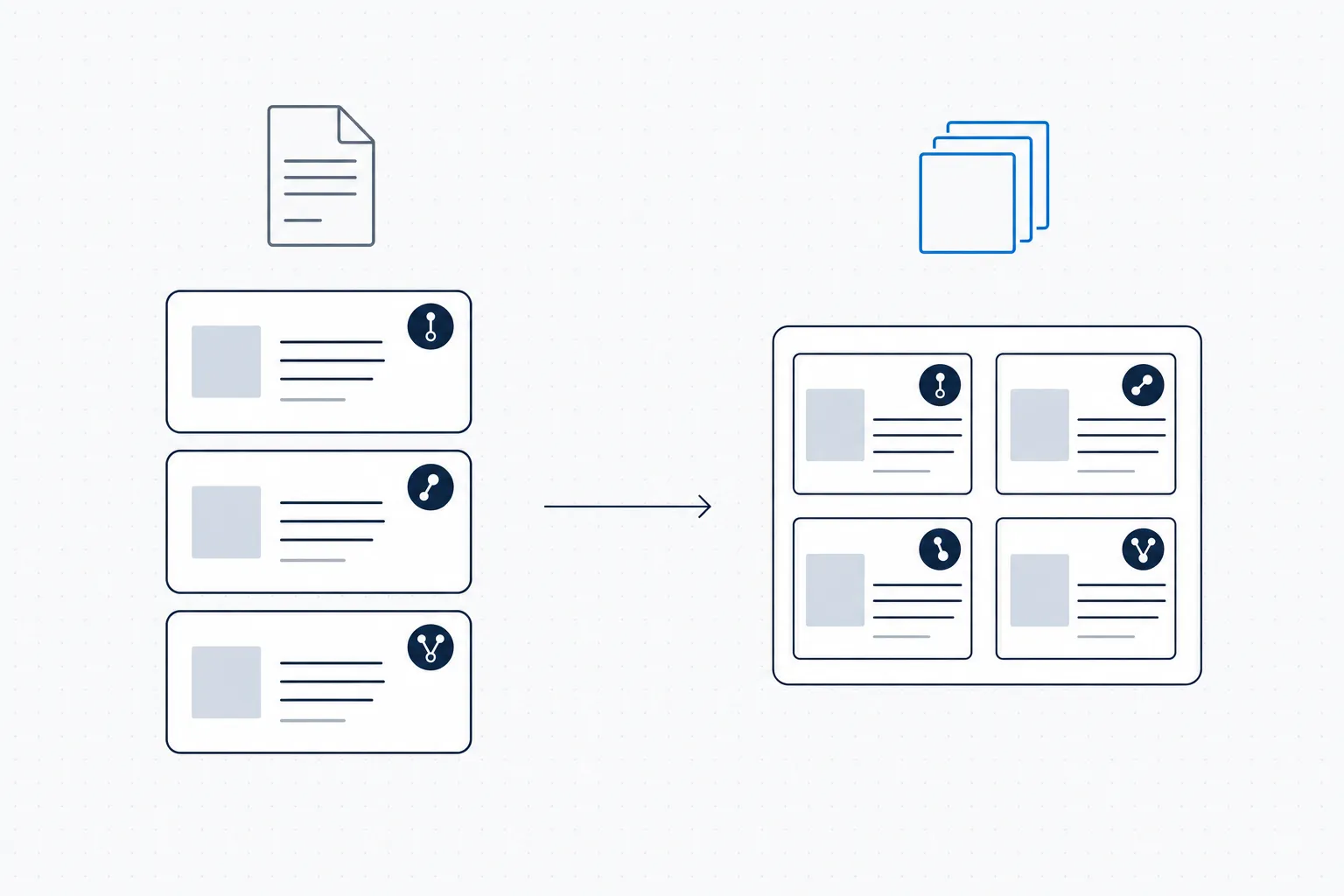
The audit-relevant distinction: a document management system pins a version on the whole file; a component content management system pins versions on the parts that make up the file. The difference becomes load-bearing the first time an auditor asks who approved a specific paragraph.
Under a document management system, that statement exists as five copies, one inside each file. The DMS knows about the five files. It does not know that the five files share a paragraph. When the safety officer changes the wording, the DMS does not know there are five places to update. Whoever holds the editorial responsibility has to remember.
Under a component content management system, that statement is one component. It has its own identifier, its own version history, its own approval record. The five documents reference that component by ID. When the safety officer changes the wording, the component updates once, and every document that references it refreshes automatically.
The DMS is not wrong. The DMS is doing its job, managing files. The job of “managing components” is a different job that a DMS is not built to do.
Why the distinction usually only matters once
In most content programs the distinction is invisible. The documentation team is small. The content set is small. One person holds the editorial discipline in their head. They know that when the safety statement changes, five files need updating. They open all five files, paste the new wording, save, repeat. The DMS captures the file-level changes. The audit trail looks fine.
This works until one of three things happens.
The first is scale. The documentation team grows. The content set grows. The number of files holding the same statement grows from five to fifty. The single editor cannot remember every place each statement appears. Drift starts. Some files have the new wording; others have the old. Nobody notices until somebody asks.
The second is regulation. The regulator asks for the audit trail on a specific statement. “Who approved the wording of section 4.2.3 in version 7 of the operator handbook, when, and against what regulatory source?” The DMS answer is “version 7 of the file was approved on date X by person Y”. That is not the question. The question is about the statement, not the file. Reconstructing the statement-level answer from file-level audit logs is archaeology. The DMS architecture does not support the query.
The third is translation. The same statement appears in five files in English. Each file gets translated into sixteen languages. The translation memory does decent work but cannot guarantee the five English-language source statements remain identical, so the sixteen-language translations diverge. The translator bills per word, and the same statement is being translated five times for sixteen markets. The DMS does not know any of this is happening.
Each failure mode is invisible until it isn’t. When it shows up, the cost is real.
What changes under a CCMS
The component content management system inverts the relationship between content and files. The file becomes an assembly view of the underlying components. The component becomes the unit of management: the thing that has a version history, an approval record, an audit trail, a translation status.
A change to the safety statement in a CCMS is one editorial action. The component is updated. The component’s version history captures the change, the editor, the timestamp, the rationale, the approval. Every document that references the component is refreshed automatically: published outputs, drafts in review, translated variants, regulator submissions in progress, the lot.
A regulator question about a specific statement is a CCMS query. “Show me every version of this safety statement, when each was approved, and which documents each version appeared in.” The result is a structured report, not a reconstruction.
A translation refresh in a CCMS is targeted. Only the component that changed needs re-translation. The other 95% of the content base, which did not change, is not retranslated. The translator bills for the change, not for the corpus.
These outcomes do not come from features layered onto a DMS. They come from the unit-of-management decision being different at the architectural level. A CCMS is not a DMS with extra features. It is a different category that solves a different problem.
Where the categorical line gets blurred
Three patterns make the line confusing in practice.
Document management with strict templates. Some teams build a process discipline on top of SharePoint or Documentum where every document is assembled from a template library. They get most of the benefits of component management for as long as the discipline holds. The system does not enforce it; the editorial team does. When the discipline holds, this is genuinely fine. When the team turns over, the discipline goes with it.
Headless content management systems marketed to documentation teams. Headless CMSes (Contentful, Sanity, Strapi) manage fragments natively, that is the headless model. They are usually marketed for marketing-website content rather than regulated documentation. Some teams have built CCMS-like workflows on top of headless CMSes; it works for born-digital content but struggles with the multi-format publishing, controlled-language, and translation workflows that regulated-content teams need.
Document management systems with workflow extensions. Most enterprise DMS platforms (SharePoint, Documentum, OpenText, Box) offer workflow features that let you build approval routing on top of files. The workflow is file-level. The component-level versioning is not there. You can build component-style behavior by convention, but the system does not enforce it.
The honest assessment: a DMS with strong editorial discipline can absorb 70-80% of what a CCMS does for a long time. The remaining 20-30% (the audit-grade component-level traceability, the structural reuse, the multi-format publishing) is where the DMS architecture runs out. For content programs where that remaining 20-30% is the whole reason for having the system, the DMS is a stopgap, not a solution.
DitaExchange’s specific position
DitaExchange is a CCMS that runs on SharePoint. Both pieces matter.
The CCMS piece is what gives you component-level management: components, content references, conditional profiling, controlled vocabulary, audit-grade approval workflow, multi-format publishing. The standard CCMS capabilities, applied to a content base authored in Microsoft Word.
The SharePoint piece is what gives you the document-management substrate the IT department already runs. File storage, identity, access control, classification, audit log, backup, disaster recovery, all of the DMS-layer concerns are handled by SharePoint with the policies already in place. DitaExchange does not duplicate them.
That layering is the practical answer to the false choice between “stay on the DMS we already have” and “adopt a new platform”. Adding a CCMS layer on top of an existing SharePoint estate is the path that resolves the actual content-management problem without inheriting a parallel-platform decision.
For the broader case, see the companion piece Your SharePoint Is Your CCMS, that one walks the platform argument from the IT-side perspective. The Built on SharePoint product page covers the substrate posture in production.
Frequently asked questions
Is a CCMS just a more advanced document management system?
No. A document management system manages files: versions, permissions, metadata, workflow on the whole file. A component content management system manages fragments (paragraphs, sections, tables, warnings) independently of any file. The same fragment can appear in many files; the CCMS tracks it as one entity with its own version history. The DMS treats each file as a sealed unit; the CCMS treats the file as an assembly of components. Different category, not a tier above.
Why does the distinction matter operationally?
Because regulated content has the same statement in many documents. A safety warning appears in the user manual, the operator handbook, the regulatory submission, the training pack, and the maintenance guide. Under a DMS, that statement exists as five separate file versions that have to be kept in sync by hand. Under a CCMS, it is one component referenced by five documents, change it once, every document refreshes. The cost of inconsistency under a DMS is invisible until an auditor finds the drift.
Can you build CCMS behavior on top of a DMS?
Partly. You can build component-style discipline on top of SharePoint, Documentum, or Box if your editorial process is rigorous, your naming conventions are strict, and your authors actually follow them. In practice this works for small content sets with one editor in charge; it fails at scale because the discipline lives in people, not the system. A CCMS encodes the discipline structurally, the system enforces what the editorial process used to enforce socially.
Where does SharePoint fit, DMS or CCMS?
SharePoint is a document management system. It is one of the most-deployed DMS platforms in regulated industries because it integrates with the rest of Microsoft 365. SharePoint by itself does not give you component-level content management. But SharePoint as a substrate for a CCMS (the storage layer underneath, with the CCMS layer on top) does. DitaExchange is built on this model: SharePoint handles file storage, identity, access control, audit log; DitaExchange handles components, content references, structured-content workflow.
Which sectors need a CCMS rather than a DMS?
Sectors where the same content appears in many documents and the cost of inconsistency is high. Pharma labeling, where a safety statement appears in every market's pack insert. Aerospace technical publications, where the same maintenance procedure appears across airframe variants. Financial-services disclosures, where a risk factor appears in every fund factsheet. Nuclear safety, where a license-condition phrase carries across multi-decade documentation. In each case the failure mode of a DMS is the same, drift between versions of the same statement, and a CCMS removes the failure mode at the structural level.